
Sharpen Image Online Free
Sharpen image online free to make blurry or soft photos clearer and crisper instantly. Upload your photo, choose your sharpening strength, and download the result. No upload to servers, no signup.
No image selected
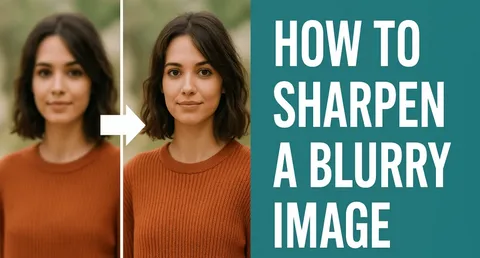
Why sharpen image online
Slightly blurry or soft photos are one of the most common problems with smartphone photography, especially in low light conditions where the camera struggles to maintain focus. When you sharpen image online, the tool enhances the edges and fine details in your photo, making it appear clearer and crisper without changing the overall composition or color of the image.
Sharpening works by detecting the edges in a photo — the boundaries between areas of different color or brightness — and increasing the contrast at those edges. This makes lines and details appear more defined, giving the impression of a sharper, cleaner photo than the original.
When you need to sharpen image online
Slightly blurry phone photos — Smartphone cameras sometimes produce slightly soft images, particularly in low light or when there’s slight movement at the moment of capture. Sharpening can recover much of the lost detail in mildly blurry phone photos, making them usable for social media, printing, or professional use.
Scanned documents and photos — Scanned images often appear slightly soft compared to the original, because the scanning process introduces a small amount of blur. Sharpening a scanned photo or document makes text and fine details clearer and easier to read.
Images for websites and social media — Images are often compressed when uploaded to websites or social media platforms, which can make them appear slightly softer than the original. Sharpening before upload can compensate for this compression softness and ensure images look crisp on screen.
Product photography — Product photos for online stores need to be as sharp and detailed as possible so potential buyers can see the texture, finish, and detail of the product clearly. Sharpening a product photo can make the difference between a sale and a customer moving on.
Profile and headshot photos — A sharp, clear headshot looks more professional than a soft one. Sharpening a slightly soft headshot before uploading it to LinkedIn or other professional platforms can improve the overall impression it makes.
How to sharpen image online — step by step
Upload your image by clicking the upload button above. This tool to sharpen image online works directly in your browser with no software installation needed. The tool accepts JPG, JPEG, PNG, and WebP formats.
Select your preferred sharpening strength — Light for a subtle improvement, Medium for a noticeable sharpening effect, or Strong for maximum sharpening on very soft or blurry images.
Click Sharpen Image. Your browser applies the sharpening filter instantly and displays a preview and download button for the sharpened result.
Tips for the best sharpening results
Start with Light or Medium sharpening and only move to Strong if the result still looks soft. Over-sharpening can introduce visual artifacts — halos around edges and increased noise — that make a photo look unnatural. Light sharpening applied to a mildly soft photo usually produces the most natural-looking result.
Sharpening works best on images that are only slightly soft or blurry. Very blurry photos — such as those taken while moving quickly, or photos that are significantly out of focus — cannot be fully recovered by sharpening alone, since the original detail simply isn’t there to enhance.
Frequently asked questions about sharpening images online
Can sharpening fix a very blurry photo?
Sharpening can significantly improve mildly soft or slightly blurry photos, but it cannot fully recover detail from very blurry images. If a photo is significantly out of focus or motion-blurred, sharpening will improve it but may not make it fully sharp. The tool works best on photos that are only slightly soft.
Will sharpening change the colors in my photo?
No. Sharpening only affects the edge contrast and fine detail in your photo — it does not change the colors, brightness, or overall tone of the image.
Is my photo safe — does Firaa upload it to servers?
No. When you sharpen image online using Firaa, your photo is processed entirely inside your browser using JavaScript. Nothing is uploaded to any server at any point.
Can I sharpen a PNG image?
Yes. Upload any JPG, PNG, or WebP image and the sharpening will be applied. The output will be a JPG file.
How is Firaa different from other image sharpening tools?
Most online image sharpening tools upload your photo to their servers for processing. Firaa sharpens image online entirely in your browser — no account, no upload, and completely free with no watermark on the result.