
Reduce Image Size for Email Online Free
Compress and reduce image size for email attachments online free. Upload your image and Firaa automatically reduces it to under 200KB — perfect for Gmail, Outlook, Yahoo Mail, and business emails.
No image selected
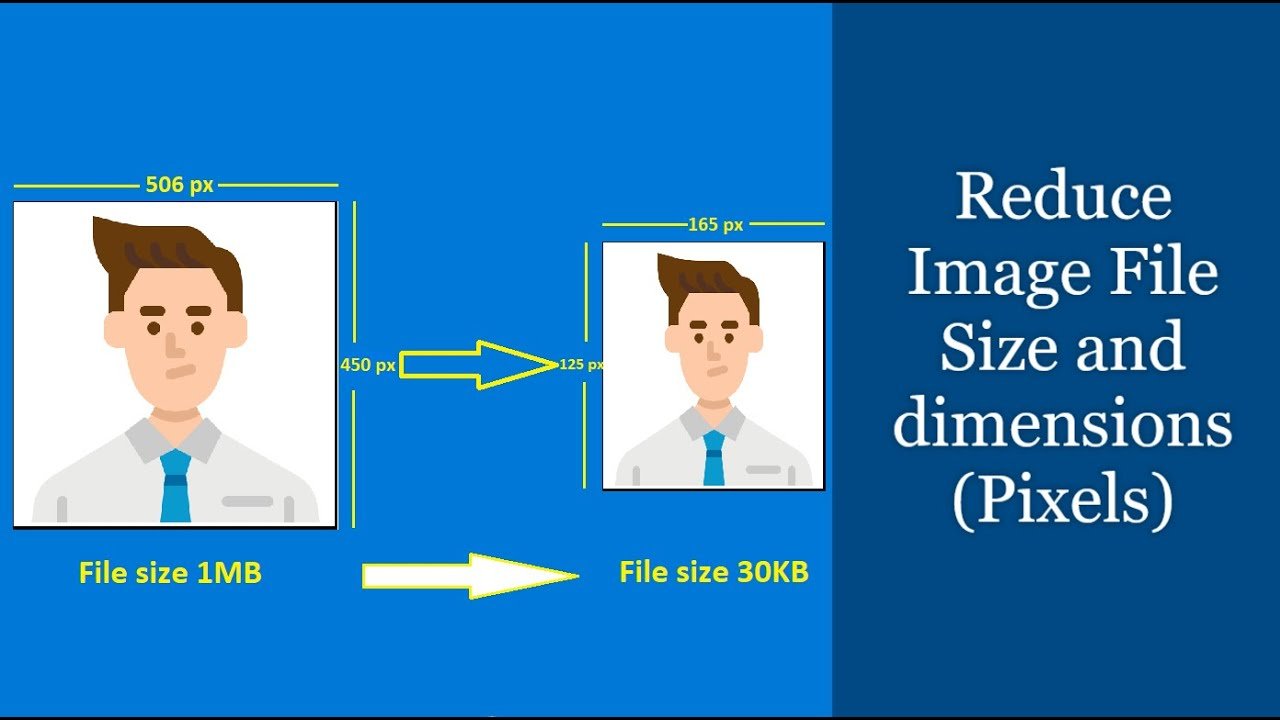
Why you need to reduce image size for email
Most email providers including Gmail, Outlook, and Yahoo Mail have strict attachment size limits. Gmail allows a maximum of 25MB per email, but large image attachments slow down delivery, fill up the recipient’s inbox, and often get blocked by corporate email servers which have much stricter limits of 5MB to 10MB.
More importantly, sending large uncompressed images looks unprofessional. A phone camera photo at 4MB to 8MB attached to a job application email, business proposal, or official document submission signals that you do not know how to optimize files. Reducing image size for email before sending is standard professional practice.
What happens when you compress here
Unlike tools like TinyPNG or iLoveIMG that upload your images to their servers, Firaa compresses everything locally inside your browser. Your image never leaves your device — no upload, no server, complete privacy. This is especially important when emailing ID documents, certificates, contracts, or personal photos.
The tool automatically reduces your image to under 200KB — the ideal size for email attachments. At under 200KB your image loads instantly for the recipient, displays clearly, and passes through even the strictest corporate email filters.
When you need to reduce image size for email
These are the most common situations where reducing image size for email is essential:
Job applications — Sending your CV and supporting documents by email is standard in Pakistan and India. HR managers receive hundreds of emails daily — a 5MB image attachment slows their inbox and creates a bad first impression. Keep all image attachments under 200KB.
University applications and submissions — Many Pakistani and Indian universities accept document submissions by email. Scanned certificates, transcripts, and ID photos should all be compressed before attaching. Most university email servers reject attachments above 5MB total.
Business emails and proposals — Product photos, portfolio images, and presentation graphics attached to business emails should be compressed. A 200KB product photo looks identical to a 4MB one on screen but sends 20 times faster.
Government document submissions — Some government departments in Pakistan and India accept scanned document submissions by email. These systems often have very strict attachment size limits. Compressing your scanned documents and photos before emailing ensures successful delivery.
Personal emails with photos — Sharing family photos or event photos by email is much better with compressed images. Recipients can open and view compressed images instantly without waiting for large files to load.
How to reduce image size for email — step by step
Upload your image by clicking the upload button above. This is the fastest way to reduce image size for email directly in your browser. The tool accepts JPG, PNG, and WebP formats.
Click the Reduce Image Size for Email button. Firaa automatically compresses your image to under 200KB — the perfect size for email attachments. No slider, no guessing, no technical knowledge required.
Download your compressed image and attach it to your email. The file will be under 200KB and will deliver instantly to any email provider worldwide.
What is the ideal image size for email attachments
The ideal image size for email attachments depends on the purpose. For official documents and ID photos, keep images under 100KB using our Compress JPG to 100KB tool. For general photos and portfolio images, under 200KB is perfect. For high quality product photos where some detail matters, under 500KB is acceptable for most email servers.
This tool automatically targets 200KB which is the sweet spot for most email use cases — small enough to deliver instantly through any email server, large enough to look sharp and professional on any screen.
Frequently asked questions about reducing image size for email
What is the maximum image size I can attach to Gmail?
Gmail allows attachments up to 25MB total per email. However corporate and government email servers that receive your email often have much stricter limits of 5MB to 10MB. Always compress images to under 200KB before attaching to ensure delivery through any email system.
Will my compressed image still look good in the email?
Yes. At under 200KB a JPG image looks nearly identical to the full-size original on any screen. The compression removes data that is invisible to the human eye. Recipients viewing your image on a phone, tablet, or computer will see a perfectly sharp, professional image.
Can I reduce the size of a PNG image for email?
Yes. Upload your PNG and the tool will compress and convert it to an optimized JPG under 200KB. JPG is the best format for email attachments — smaller file size and universally supported by all email clients. If you need to keep PNG format use our PNG Compressor tool instead.
Is my image safe — does Firaa upload it to servers?
No. Your image is compressed entirely inside your browser using JavaScript. Nothing is uploaded to any server at any point. This is especially important for personal photos, ID documents, certificates, and business files that you send by email.
How is this different from just attaching the original photo?
Original phone camera photos are 3MB to 8MB. These take a long time to upload from your device, a long time to download for the recipient, and often get blocked by strict email servers. A compressed 200KB version sends in seconds, opens instantly, and passes through any email filter — while looking identical on screen.
How is Firaa different from other image compression tools?
Most online tools including TinyPNG upload your images to their servers. Firaa compresses entirely in your browser — completely private, faster with no upload time, and automatically targets the perfect size for email attachments.