
Matcha in a cookie can go wrong in two ways: too little, and you get a pale cookie that tastes like nothing, or too much, and you get a bitter cookie that nobody wants to finish. Matcha white chocolate chip cookies easy are built to land right in the middle. Two tablespoons of good matcha powder give the dough a clear green colour and a gentle, earthy tea flavour, and sweet white chocolate chips balance that earthiness perfectly, so every bite tastes green and sweet at the same time.
That is why this recipe is such a good first matcha bake. Much like our soft lemon crinkle cookies with cake mix and our crispy edges chewy center chocolate chip cookies, this batch is built around one bowl and a hot oven, with simple steps that are hard to get wrong. The rest of this guide walks through that balance: why sifted matcha matters, why white chocolate is the right partner for it, how to tell when these cookies are done without drying them out, and how to store them so they stay soft for days.
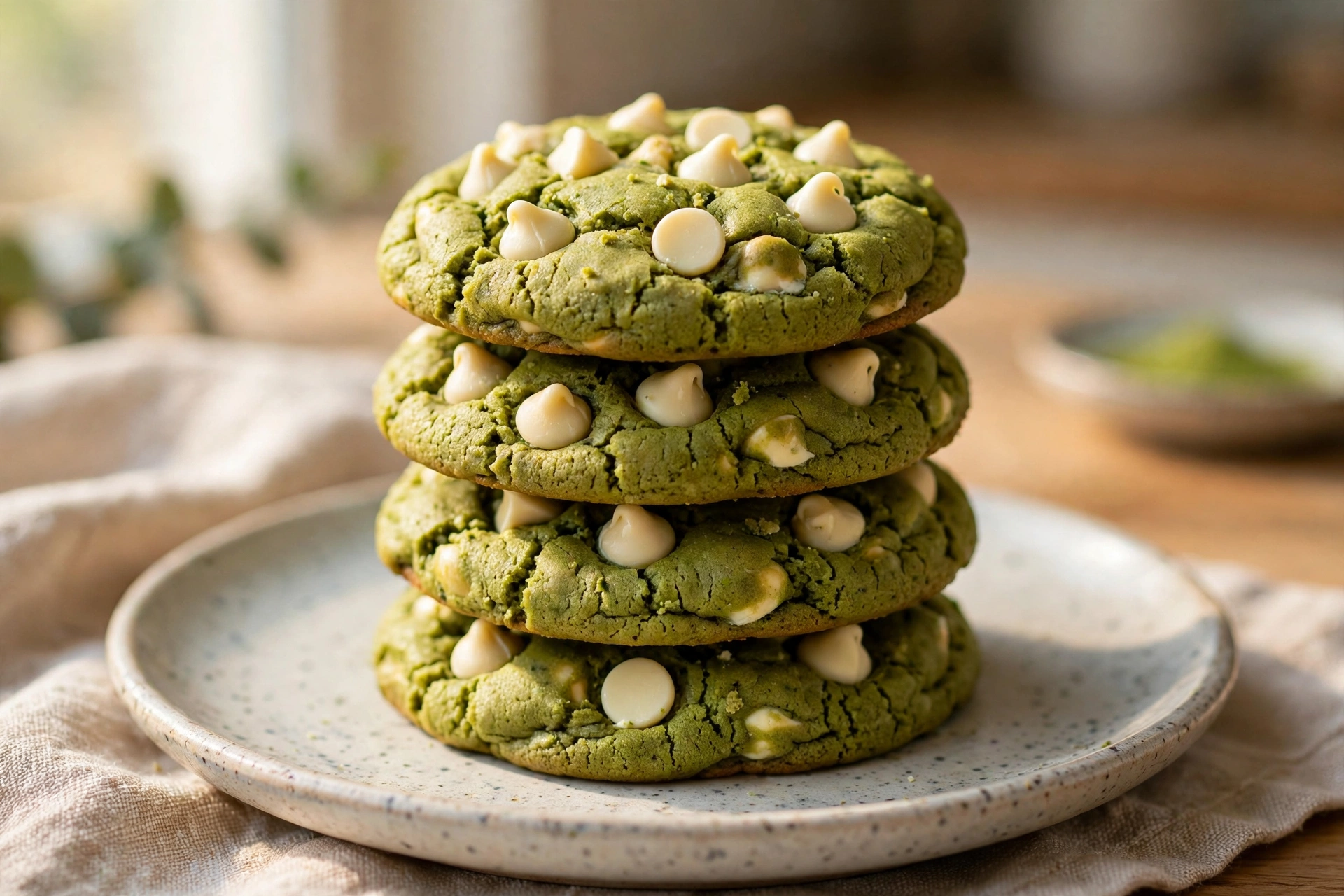
How Matcha White Chocolate Chip Cookies Easy Get Their Colour and Balance
Matcha is not just a colour here. It is a flavour that needs to be handled carefully. Matcha powder is very fine ground green tea, and it carries a distinctive earthy, slightly grassy taste that can turn bitter if it is overbaked or used in too large a quantity. Two tablespoons, sifted into the flour, is enough to give these cookies a clear green colour and a real matcha flavour, without tipping into bitterness. Sifting matters because matcha clumps easily, and an unsifted lump will bake into a bitter, dark green spot in an otherwise sweet cookie. Sift it with the flour, every time, and the colour and flavour will be even throughout.
White chocolate is the right partner for matcha for a simple reason: sweetness. Matcha on its own, especially in a cookie, can taste a little too grown-up and too bitter for most people, including people who love matcha lattes. White chocolate chips melt into sweet, creamy pockets that soften that edge without hiding the matcha flavour completely. Dark or semi-sweet chocolate would compete with the matcha and muddy the flavour, while white chocolate lets the green tea stay in the foreground and simply makes it sweeter and easier to enjoy. That is why this pairing shows up in so many matcha desserts, from lattes to cakes to ice cream.
The third piece is softened butter, not melted butter. Melted butter would make these cookies spread thin and crisp, which is not what you want for a matcha cookie. Softened butter, creamed briefly with the sugars, traps a little air and gives the dough enough structure to stay thick and soft in the centre, with edges that are just set and lightly golden. That thick, soft texture is what lets the matcha flavour come through slowly, rather than being lost in a thin, crisp cookie that tastes mostly of sugar and butter.
Why This Matcha Cookie Batch Works So Well
- Real Matcha Flavour, Not Just Colour: Two tablespoons of sifted matcha give a clear green colour and a gentle, earthy tea flavour that is balanced, not bitter.
- Sweet White Chocolate Balance: White chocolate chips melt into creamy, sweet pockets that soften matcha's earthiness without hiding it.
- Soft, Thick Centres: Softened butter and a short bake keep the centres thick and soft, with edges that are just set and lightly golden.
- Ready in About Half an Hour: Fifteen minutes of mixing, about eleven minutes in the oven per tray, and ten minutes resting on the tray.
What Each Ingredient Does in This Matcha Cookie Dough
Because matcha is a strong flavour, each ingredient here has a job that cannot be skipped or swapped casually. Here is what each one actually does, and what happens if you change it.
1. Unsalted Butter, Softened (115g / 1/2 Cup)
Butter should be soft enough to dent easily with a finger, but not melted or greasy. Softened butter creams with the sugars to trap a little air, which is what keeps these cookies thick and soft instead of thin and crisp. Melted butter will make the dough spread too much and the cookies will bake thin, with a weaker matcha flavour. If your butter is cold from the fridge, cut it into cubes and leave it at room temperature for 30 minutes. Do not microwave it to soften it quickly, or parts of it will melt and the dough will be uneven. Precision Tip: Weigh the butter if you can. Too much butter will make the cookies greasy and flat, while too little will make them dry and crumbly.
2. Light Brown Sugar (100g / 1/2 Cup) and Granulated Sugar (80g / About 1/3 Cup)
Brown sugar is the main sugar here for a reason: its molasses keeps the centre moist and adds a gentle caramel flavour that rounds out the matcha. White sugar helps the edges set and gives the tops a light, golden colour. Using only brown sugar would make the cookies too soft and too sweet, while using only white sugar would make them crisper and less chewy. The balance below, more brown than white, is deliberate, and it is what keeps these cookies soft for days after baking.
3. Large Egg (1, Room Temperature)
One whole egg binds the dough and gives the cookies their structure, without making them cakey. A second egg would make the cookies puffier and more cake-like, which is not what you want here. Room-temperature eggs mix into the butter and sugar more evenly than cold eggs, and they help the dough come together faster. If your egg is cold from the fridge, sit it in warm water for five minutes before you start.
4. Vanilla Extract (1 Teaspoon)
Vanilla does not make these cookies taste like vanilla. It rounds out the matcha and white chocolate and makes the whole cookie taste fuller rather than sharp or one-note. Add it with the egg, so it mixes evenly through the dough. If you are out of vanilla, you can leave it out and the cookies will still work, but they will taste a little flatter, especially if your matcha is on the strong side.
5. All-Purpose Flour (200g / 1 2/3 Cups, Spooned and Levelled) and Matcha Powder (2 Tablespoons, About 12g)
Flour is the quiet ingredient here, and it is also the easiest one to get wrong. Spoon it into your measuring cup and level it off, or weigh out 200 grams, rather than scooping straight from the bag. Scooping packs the flour down and can easily add 20 to 30 extra grams, which is enough to turn a soft cookie into a dry, puffy one. Matcha must be sifted with the flour, not dumped in on its own, or it will clump and bake into bitter spots. Use culinary-grade matcha for baking, not ceremonial-grade, which is more expensive and its delicate flavour is wasted in the oven. If your matcha is very bright green and smells fresh and grassy, it is good to use. If it smells dull or looks brownish, it is old and the cookies will taste flat. Critical Rule: Sift the matcha with the flour, every time, and do not add extra matcha to make the colour darker, or the cookies will turn bitter.
6. Baking Soda (1/2 Teaspoon) and Fine Salt (1/2 Teaspoon)
Baking soda is the leavening here, and it also helps the cookies spread just enough and brown lightly at the edges. It reacts with the acidity in the brown sugar to give a little lift, while still letting the dough stay thick. Baking powder would make the cookies puffier and more cake-like, which is the opposite of what you want here, so do not swap them. Salt sharpens the matcha and white chocolate without making the cookies taste salty. If you are using salted butter, reduce the salt to a quarter teaspoon.
7. White Chocolate Chips (150g / About 1 Cup)
White chocolate chips are not just sweetness here. As they melt in the oven, they create soft, creamy pockets that balance the earthy matcha and keep the centre feeling rich even after the cookies have cooled. Use real white chocolate chips, not white candy melts, which are mostly sugar and oil and will not melt the same way. Reserve a small handful to press into the tops of the scooped cookies if you like a prettier finish, but do not stir the chips in vigorously or they will start to melt into the warm dough and streak it green and white.
Step-by-Step Instructions: Cream, Mix, Scoop, Bake, Rest
Step 1: Oven Setup and Tray Preparation
Position your oven racks in the centre and upper-middle positions and preheat your oven to 350°F (175°C). Line two baking trays with parchment paper. Do not grease the trays, or the cookies will spread too much and lose their thick, soft centres. Parchment gives just enough grip to hold the cookies thick while letting them spread a little. If you only have one tray, bake in batches and let the tray cool between batches, or the second batch will spread too fast on a hot tray.
Step 2: Creaming Butter and Sugars
Place the softened butter, brown sugar, and granulated sugar in a large bowl and beat with a spatula, wooden spoon, or hand mixer for 1 to 2 minutes, until the mixture is pale, fluffy, and slightly lighter in colour. This creaming step traps air in the dough, which is what keeps the cookies thick and soft. Do not cream for much longer than two minutes, or you will whip in too much air and the cookies will puff up in the oven and then fall flat.
Step 3: Adding Egg and Vanilla
Add the egg and vanilla to the butter and sugar mixture, and beat for 1 minute until the mixture is smooth, pale, and slightly thickened. Scrape down the sides of the bowl halfway through, so no butter or sugar is left unmixed at the edges. Do not beat for much longer than a minute. Over-beating at this stage will make the cookies puffy and cakey, rather than thick and chewy in the centre.
Step 4: Sifting and Folding in Flour and Matcha
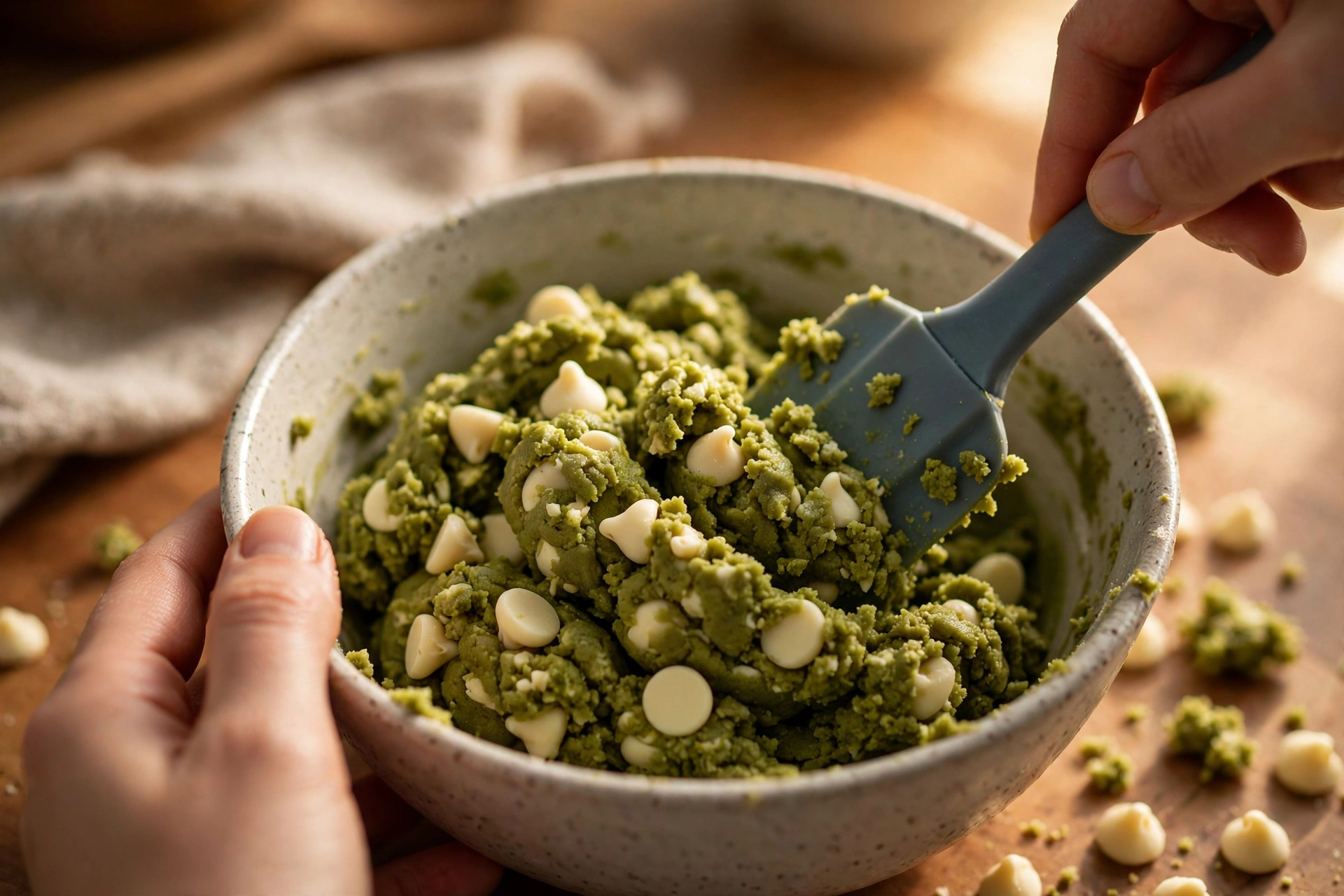
Sift the flour, matcha powder, baking soda, and salt together over the bowl, then fold with a spatula using broad, gentle strokes until the last green-white streak just disappears. This should take no more than 20 to 30 seconds of folding. The dough will be thick, green, and will hold its shape when you lift the spatula. If you keep stirring past this point, you will develop gluten and the finished cookies will be tough instead of tender, no matter how good your matcha is.
Step 5: Folding in White Chocolate Chips
Fold the white chocolate chips into the dough with just a few strokes, until they are evenly distributed. Reserve a small handful to press into the tops of the scooped cookies if you like a prettier finish, but do not stir the chips in vigorously or they will start to melt and streak the dough. The dough should look thick, green, and studded with white chips, not smooth and uniform like cake batter.
Step 6: Scooping, Spacing, and Baking
Scoop the dough into balls of about 2 tablespoons each (about 45g) and place them on the prepared trays, leaving at least 2 inches between each ball. This spacing is essential. These cookies are designed to spread a little, and if they are too close together they will merge into one giant cookie with no defined edges at all. Bake one tray at a time at 350°F (175°C) for 10 to 12 minutes. Start checking at 10 minutes. The edges should look set and lightly golden, while the centres still look slightly soft and pale green. That soft centre is exactly what you want. It will set as the cookies rest on the tray.
Step 7: Resting on the Tray and Transferring
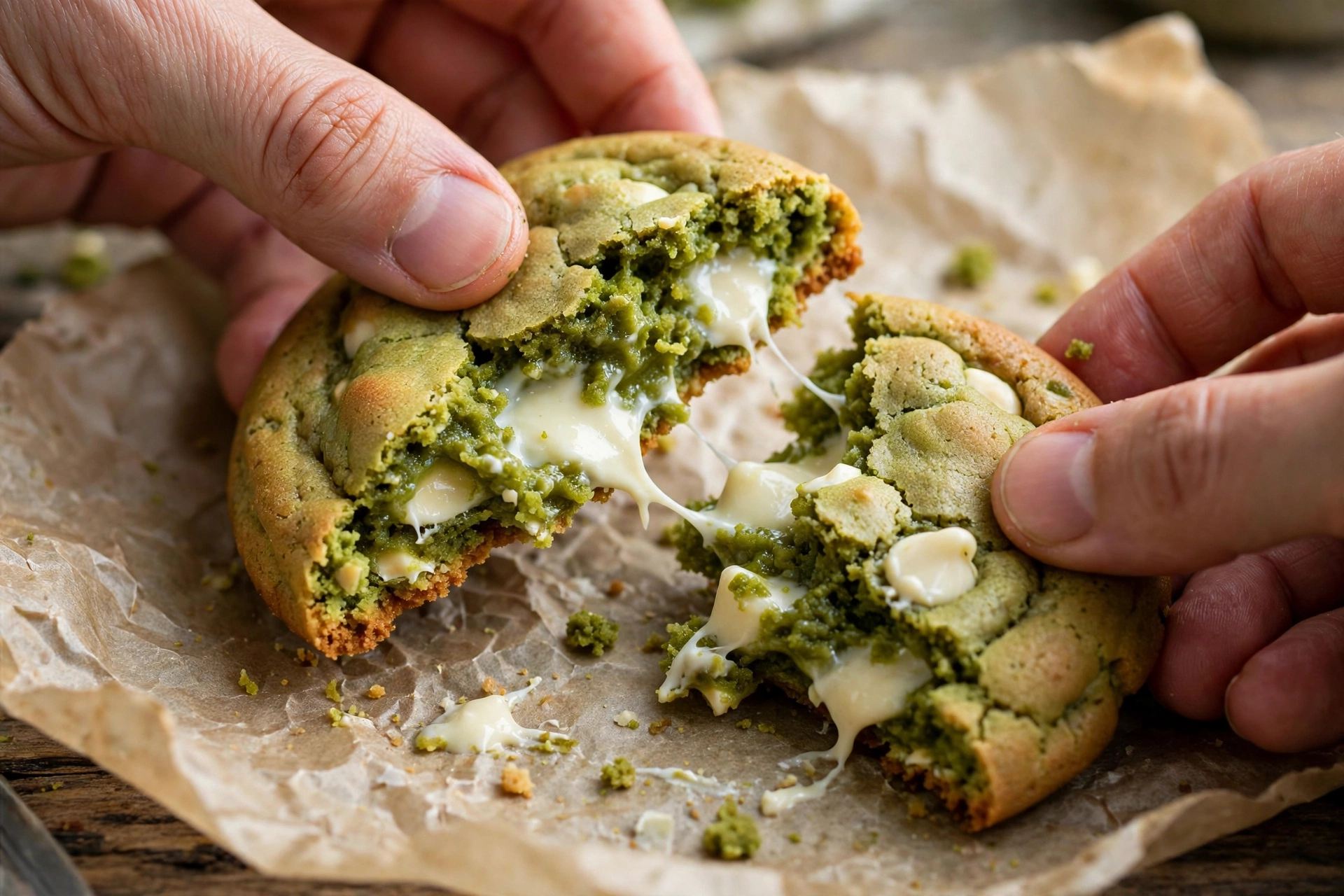
Remove the tray from the oven and let the cookies rest on the tray for 10 minutes before you move them. This pan rest is part of the recipe, not a suggestion to ignore if you are in a hurry. The centres are still setting during this time, and moving the cookies too early will break them. After 10 minutes, transfer them to a wire rack with a spatula and let them cool completely, or eat them warm. A warm cookie will have softer white chocolate pockets and a less set centre than a fully cooled one, and both are good, just different.
Where Matcha Cookies Usually Go Wrong
Because matcha is a strong flavour, small mistakes show up more clearly than they do in a plain cookie. Here are the four that cause the most trouble, and how to avoid each one.
1. Unsifted Matcha That Turns Bitter
If you dump matcha powder straight into the dough without sifting, it will clump and bake into dark, bitter spots that ruin an otherwise sweet cookie. Always sift the matcha with the flour, and break up any lumps in the sieve with the back of a spoon before folding. If your matcha is old, dull, or brownish, replace it. Old matcha tastes flat and bitter no matter how carefully you sift it, and no amount of white chocolate will fix it.
2. Overbaking Past the Soft-Centre Stage
The most common reason these cookies turn dry is waiting until they look fully firm in the oven. A soft matcha cookie should come out with a centre that still looks slightly soft and pale green. It will set during the 10-minute pan rest, and that residual heat is what finishes the centre without drying it out. If you wait until the centre looks golden and firm in the oven, you have already gone too far, and the matcha will also taste more bitter, because overbaking concentrates its earthy flavour.
3. Too Much Matcha, or the Wrong Matcha
It is tempting to add extra matcha to make the cookies a darker green, but more matcha does not mean more flavour. It means more bitterness. Stick to two tablespoons, sifted, and use culinary-grade matcha, not ceremonial-grade, which is wasted in the oven, and not a matcha latte mix, which contains sugar and milk powder and will change the dough completely. If you want a darker colour, check your matcha is fresh first, because fresh matcha is naturally brighter green than old matcha.
4. Moving the Cookies Too Soon
It is tempting to move warm cookies straight to a rack, but these cookies are at their softest when they first come out, and their white chocolate pockets are still melted. Moving them now will break the centres and smear the chocolate. Give them the full 10 minutes on the tray, then move them gently with a spatula, and let them cool completely on a wire rack before stacking or storing them at all.
Variations Worth Trying With This Matcha Base
Once you have the base recipe working, it is easy to change the flavour without changing the structure. Keep the butter, sugars, egg, flour, and matcha exactly as written, and only change the extras below.
- Matcha and Dark Chocolate: Swap half the white chocolate chips for dark chocolate chips, keeping the total at 150g. Dark chocolate adds a deeper, more grown-up flavour that pairs well with matcha, but it will make the cookies a little less sweet, so this version suits people who already like matcha lattes.
- Matcha and Macadamia: Fold 75g of chopped macadamia nuts into the dough with the white chocolate chips. Macadamias add a buttery crunch that contrasts with the soft centre, without changing the bake time at all.
- Iced Matcha Cookies: Once the cookies are completely cool, drizzle them with a simple glaze made from powdered sugar and a little milk, thinned to a pouring consistency. The glaze adds sweetness and a glossy finish, but it will soften the tops a little, so only glaze cookies you plan to eat the same day.
- Matcha Shortbread Style: Reduce the brown sugar to 50g and increase the flour to 220g, keeping everything else the same, for a firmer, more shortbread-like cookie that still tastes of matcha and white chocolate. Bake for the same time, but check at 10 minutes, because the firmer dough sets faster.
How to Store and Freeze These Cookies
Because these cookies are made with softened butter and brown sugar, they store well as long as you keep them airtight and do not store them while warm.
Room Temperature Storage
Store fully cooled cookies in an airtight container at room temperature for up to 4 to 5 days. Place a sheet of parchment between layers so the white chocolate does not stick the cookies together. Unlike crisp cookies that go stale quickly, these cookies stay soft because the brown sugar and softened butter hold moisture. Do not store them in the fridge for everyday eating, or they will firm up and taste dry until they come back to room temperature.
Freezing Baked Cookies
Place cooled cookies in a single layer inside a freezer-safe container separated by parchment paper. Freeze for up to 3 months. Thaw on the counter for 30 minutes before eating. Thawed cookies will be a little softer than fresh ones, which is normal for a soft butter cookie, and the white chocolate pockets may look a little less sharp after thawing, but the flavour will be the same. Do not refreeze thawed cookies.
Freezing Scooped Dough
Scoop the dough into balls, freeze them on a tray until solid, then transfer them to a freezer bag for up to 3 months. Bake from frozen at the same temperature, adding 2 minutes to the bake time, and check for the same soft-centre stage. This is the best way to have fresh matcha cookies on demand without mixing a full batch every time, and the white chocolate melts just as well from frozen.
Frequently Asked Questions About These Cookies
Why do my matcha cookies taste bitter?
Bitterness usually comes from one of three things: too much matcha, unsifted matcha that clumped, or overbaking. Check the amount first, because that is the most common cause. Stick to two tablespoons, sifted with the flour, and do not add extra to darken the colour. If the matcha was old or brownish, replace it with fresh culinary-grade matcha. If the cookies were overbaked, pull the next tray when the centres still look soft and pale green, and let the pan rest finish them.
Can I use matcha latte mix instead of matcha powder?
No, not as a direct swap. Matcha latte mix contains sugar and milk powder as well as matcha, so it will change the dough's sweetness, moisture, and structure, and the cookies will spread differently and taste much sweeter and less like matcha. Use pure matcha powder, culinary grade, sifted with the flour, for the flavour and colour this recipe is built around.
Can I make these cookies without white chocolate?
Yes, but they will taste noticeably more earthy and less sweet, because white chocolate is what balances the matcha. If you leave it out, add 20g of extra granulated sugar to the dough, and expect a drier, more grown-up cookie. A better swap, if you do not like white chocolate, is to use half white and half dark chocolate chips, keeping the total at 150g, so you still get some sweetness to balance the matcha.
Matcha White Chocolate Chip Cookies
Bake soft, green matcha cookies with sweet white chocolate chips, made in one bowl, in 36 minutes total.
Ingredients
Baker's Secret: Sift the matcha with the flour, every time, and pull the tray when the centres still look soft and pale green. That pan rest finishes the centres without making the matcha taste bitter.
Instructions
- 1Preheat & Prep Trays: Preheat oven to 350°F (175°C). Line two trays with parchment paper, ungreased.
- 2Cream Butter & Sugars: Beat softened butter with brown and granulated sugars for 1 to 2 minutes, until pale and fluffy.
- 3Add Egg & Vanilla: Beat in the egg and vanilla for 1 minute, until smooth and slightly thickened.
- 4Sift & Fold: Sift in flour, matcha, baking soda, and salt, then fold gently for 20 to 30 seconds, until the last streak disappears.
- 5Fold in Chips: Fold in white chocolate chips with just a few strokes, until evenly distributed.
- 6Scoop & Bake: Scoop 2-tablespoon balls, spaced 2 inches apart, and bake at 350°F (175°C) for 10 to 12 minutes, until edges are set and centres are soft.
- 7Rest & Cool: Rest on the tray for 10 minutes, then transfer to a wire rack and cool completely before storing.